
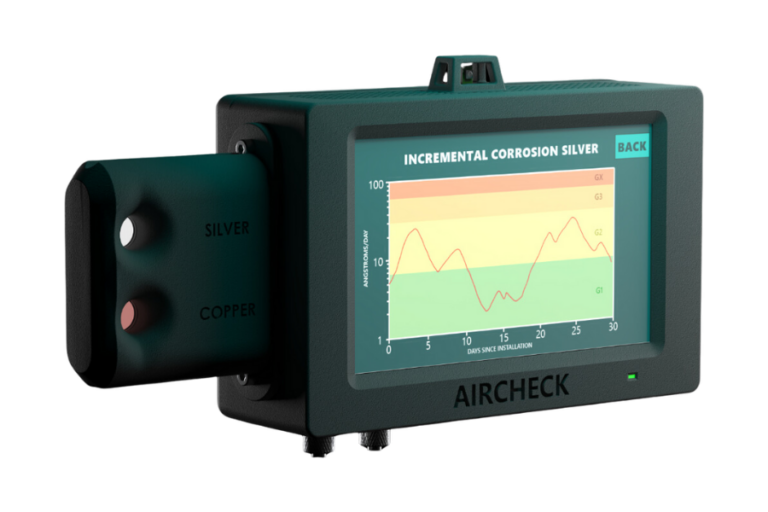
The AirCheck corrosion monitor is designed to help you understand the condition of your equipment by offering continuous insight into environmental and surface changes. Setting up your AirCheck corrosion monitor the right way ensures stable readings, accurate data trends, and dependable long term usage.
This guide explains the essential steps so you can begin monitoring without confusion or unnecessary delays. Every part of the setup process is simplified to help you move from installation to active monitoring with confidence.
Your AirCheck corrosion monitor is built to provide ongoing visibility into early signs of corrosion, giving you a smoother approach to maintenance planning. Learning its basic features before installation helps you achieve a clean workflow and a dependable setup process.
The device includes core functions that support data tracking, alerts, and environmental awareness. Each feature plays a part in helping you keep your system stable, so familiarizing yourself with these elements prepares you for accurate results from the very beginning.
The AirCheck corrosion monitor uses specialized sensors that interpret changes on the monitored surface. These sensors respond to shifts in the surrounding environment and translate those changes into clear data patterns.
The information collected helps you track conditions that may lead to deterioration over time. Understanding how this data forms allows you to rely on the readings with more clarity and confidence. When you know how the device observes changes, it becomes easier to understand every insight it provides.
Your AirCheck corrosion monitor includes essential components that support mounting, powering, and sensor reading. Each part plays a role in maintaining steady performance during long term use. Recognizing the function of each component helps you avoid confusion during placement and connection.
When the components are organized and ready, the installation becomes smoother and more predictable. This preparation also helps ensure every part of the system works together without interruptions.
Getting ready to install your AirCheck corrosion monitor involves choosing the right environment, clearing the surface, and preparing the device for attachment. When preparation is done correctly, the system performs with greater consistency and stability.
This stage prevents later issues and helps the device capture the cleanest and most accurate readings. Good preparation also keeps the setup process stress free and organized from start to finish.
Select a location where the surface is stable and representative of the conditions you want to track. To know more about choosing the right aircheck corrosion monitor, click here . This helps the sensor read the environment naturally and without interference.
The surface should be free from strong vibrations and excessive movement to maintain steady readings. A clear and accessible location also helps with future adjustments or inspections. When the monitor is placed correctly, it performs with greater reliability over time.
The mounting area should be clean and free from loose particles that may influence readings. A smooth surface helps the device attach securely and remain steady during operation.
Proper preparation supports more accurate sensor performance. It also minimizes the need for repositioning after installation. This simple step helps the device begin monitoring with clarity from the moment it is activated.
Mounting the device is a crucial step for stable and accurate tracking. A firm and secure mount helps the sensors maintain consistent contact with the monitored environment. This ensures that the data collected reflects true conditions rather than movement or interference. Good mounting also sets the foundation for long term performance and easier access during maintenance or checks.
Place the monitor gently on the prepared surface and ensure it sits evenly. Press it firmly so it stays stable and does not shift during operation. The device should feel supported and balanced once it is positioned. This helps maintain consistent readings without unwanted fluctuations. Proper stability allows the monitor to work with greater precision throughout its service life.
Once the device is in place, confirm that it is oriented correctly for optimal sensor exposure. Alignment helps ensure the readings remain reliable and uniform across changing conditions. Small adjustments made at this stage can prevent future inaccuracies. A well aligned monitor works more smoothly and consistently as environmental conditions shift over time. Taking a moment to check alignment supports long term performance.
After mounting, the next step is activating the device and connecting it to your system or cloud platform. Connectivity helps you review the readings from anywhere and allows you to store trends for long term evaluation. Stable communication also ensures your alerts and updates arrive without delay. Proper connection makes the entire monitoring process smooth and effective.
Ensure the device has a consistent power source to support uninterrupted monitoring. Contact us at KAPTAR for more about the aircheck corrosion monitor. A stable power connection protects the device from unexpected shutdowns.
When the monitor remains powered smoothly, the data logs remain complete and useful. A steady power flow also supports strong connectivity and accurate updates. This step helps the device run reliably from the moment it starts recording.
Connect the device to your preferred network and follow the steps for cloud activation. Cloud setup allows you to view readings remotely and track long term trends. Stable connectivity enhances the accuracy of reports and insights.
Being able to access the information from different locations helps you manage maintenance planning more effectively. Proper cloud setup supports seamless monitoring without physical checks.
Calibration ensures the AirCheck corrosion monitor interprets its environment correctly from the beginning. When the sensor is calibrated, the data trends become clearer and more reliable. This step helps the device adjust to the unique characteristics of your monitoring location. A well calibrated sensor produces consistent readings and better supports future assessments. Calibration is one of the most important parts of the setup.
Start the calibration cycle to help the monitor understand the baseline condition of the surface. This allows the device to distinguish natural variations from meaningful changes. Letting the calibration process complete without interruption helps improve accuracy. During this stage, the device begins forming its initial data profile. Completing this cycle helps the monitor perform more consistently over time.
Once reading calibration is complete, check that the appears stable and clear. This helps confirm that the sensor is responding correctly to its environment. A stable reading pattern is a sign that the device is functioning as expected. Minor adjustments may help refine accuracy. This simple review ensures the device enters active monitoring with dependable performance.
Setting up your AirCheck corrosion monitor becomes simple when you follow a clear and organized approach. Each step supports the next to create a stable and accurate monitoring system. From choosing the right location to activating connectivity and completing calibration, every part contributes to long term performance.
With proper care and maintenance, your monitor continues offering dependable insights into environmental changes. A smooth setup helps ensure confidence in every reading your system provides.
You can confirm proper installation by checking for steady readings and a stable mounting position.
The monitor can function in various settings as long as the surface conditions are suitable for sensor placement.
A routine visual check helps ensure the sensor remains clean and properly seated.
You can reconnect by verifying your network settings and refreshing the connection through your platform.
Yes, once calibration is complete, the device begins tracking conditions right away.